Pronguino – API
Introduction
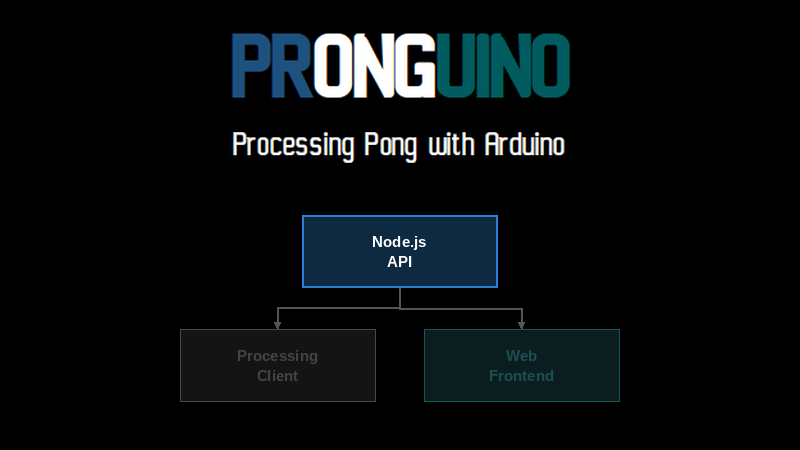
All over the web — Google, X, betting sites — you will see live results of ongoing sporting events. In this and the next couple of posts, we will create a RESTful API that will, after a few changes to the Processing code, allow Pronguino to post new games and update scores to a local server, and finally create a small website to display the live scores.
Scope
| Description | |
|---|---|
| Node.js | A local REST API server using Express to store and retrieve game data in a JSON file. |
Learning
| Description | |
|---|---|
| REST | How a RESTful API is structured — routes, HTTP methods, and response codes. |
| Node.js | How to set up a simple Node.js server using the Express framework. |
| Router-Controller-Service | How to separate routing, business logic, and data access into distinct layers. |
| Postman | How to test API endpoints using Postman collections. |
Getting Started
Installation
The API we are creating here uses Node.js®. I have put together a short guide to the installation and testing the runtime here.
Code Editor
Up until now, we have been using the IDEs for Processing and Arduino. Node.js code can be managed by a number of code editors. I use Visual Studio Code (VS Code), but there are many IDEs and editors out there.
You will need to type commands into a terminal window — if, like VS Code, you are able to access a terminal window within the editor, that works well, or just open a new terminal or command window on your operating system.
The Code
Node.js
This is a reasonably simple Node.js server application that uses the Express web framework to implement a RESTful API that can be accessed from any application — in this case, Pronguino. It also uses the cors middleware to allow the website we are going to create in a future post to access the API.
Note: This has been developed as a purely local server, using a JSON file to store data for simplicity and to keep it self-contained. In future, this could be extended to host on platforms such as AWS, Azure, or Firebase.
The downloaded code will be in the following structure…
nodejs ├── app.js ├── routes │ └── game.routes.js ├── controllers │ └── game.controller.js ├── services │ └── game.service.js ├── data │ └── games.json ├── package.json └── nodemon.json
The app.js file is the main entry point for the application — this is where we get the required modules, create the application, apply middleware, and start the server to listen for requests.
// ********************************************************************************
// app.js
//
// Main entry point
// ********************************************************************************

// Get the Express module function ..
const express = require('express');

// Get the CORS module
const cors = require('cors');

// Configure CORS options ...
const corsOptions = {
    // ... only allow the following website to access this app
    origin: 'http://127.0.0.1:8080'
};

// Create main app ...
const app = express();

// .. use CORS
app.use(cors(corsOptions));

// .. use middleware to parse requests with JSON payloads/body
app.use(express.json());

// Get the game router module ...
const gameRoutes = require('./routes/game.routes')

// .. and use ..
app.use(['/games'], gameRoutes)

// Start listening for requests on port 3000
const server = app.listen(3000, () => {
    console.log('listening on port %s ...', server.address().port);
})
The application implements a Router-Controller-Service architecture. The following routes are defined in game.routes.js…
| Method | Route | Description |
|---|---|---|
| GET | /games | Get all games |
| GET | /games/:id | Get a game |
| POST | /games | Create a game |
| PUT | /games/:id | Update a game |
| DELETE | /games/:id | Delete a game |
Each route maps to a controller function in game.controller.js. These functions receive the request (containing the id and body where applicable) and send back the response with the relevant HTTP status code…
| Code | Status | Description |
|---|---|---|
| 200 | OK | Request was successful |
| 201 | Created | Request was successful and a new resource was created |
| 204 | No Content | Request was successful but no data to return |
| 500 | Internal Server Error | An error occurred on the server while processing the request |
Reference: For a full list of HTTP response codes, see the HTTP Response Codes reference page.
…along with any data, depending on the result of calls to the corresponding functions in game.service.js, which, as this API is running locally, are methods that maintain the local games.json file.
Learn: The code includes quite a few comments to explain what is going on. Have a look at the learning and other documentation for more information on Node.js.
CORS
The API uses the cors middleware to control which origins are allowed to make requests to it. This is necessary because the website we create in Pronguino – Web is served from a different origin (http://127.0.0.1:8080) than the API (http://localhost:3000). Without this, the browser would block the requests.
The allowed origin is configured in corsOptions in app.js…
const corsOptions = {
    // ... only allow the following website to access this app
    origin: 'http://127.0.0.1:8080'
};
…and applied as middleware…
app.use(cors(corsOptions));
Learn: For more detail on how CORS works, see the MDN documentation.
Run
Before we can run this app we need to install the package dependencies listed in the package.json file…
nodejs> npm install
added 90 packages, and audited 91 packages in 11s
11 packages are looking for funding
run `npm fund` for details
found 0 vulnerabilities
…this will create the node_modules folder and the package-lock.json file. You can then run the following to start the server…
nodejs> node app.js listening on port 3000 …
I like to use a package called nodemon. The two main reasons, especially in this case, are that it will automatically restart when you change any of the code, and it can also be configured to ignore changes to specific file types — in this case the server will not restart when changes are made to JSON files, as the app itself will be changing these and we do not want it restarted when the data changes.
This is configurable in the nodemon.json file…
{
    "ignore": ["*.json"]
}
It is good practice to add scripts to the package.json file for things such as building, testing, and starting an app. Here is one created for starting this app…
"scripts": {
    "start": "nodemon app.js",
…so to run…
nodejs> npm run start
> pronguino-api@1.0.0 start
> nodemon app.js
[nodemon] 2.0.22
[nodemon] to restart at any time, enter `rs`
[nodemon] watching path(s): .
[nodemon] watching extensions: js,mjs,json
[nodemon] starting `node app.js`
listening on port 3000 …
…this will start the server listening on port 3000 at localhost.
Test
Browser
A quick test to make sure the basics are running — enter localhost:3000/games into your browser and you will get a result similar to the following, based on the sample data in games.json…

Chrome: localhost:3000/games
Postman
For a more complete test we can use Postman. For what we are trying to achieve here, you only need the free version — this also gives you a better understanding of the raw data being sent and received by the API.
I have provided a pre-created collection in the download for this post. Just click Import…
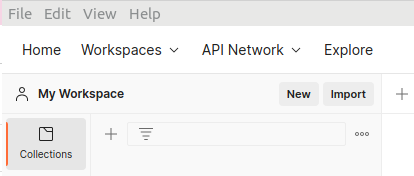
Postman: Import Collection
…then File → Upload → and select the file collection-pronguino-api.json, and expand Pronguino API…
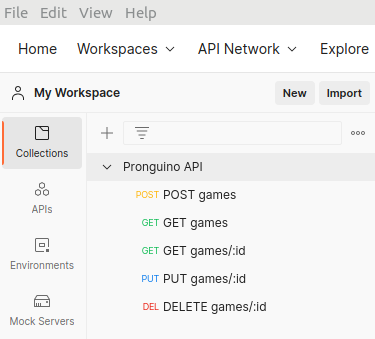
Postman: Collection
POST games
If you select the POST games request, you will see the URL localhost:3000/games. Click on the Body tab, enter the following JSON body for a new game, and hit Send…
{
  "started": "2023-05-01T10:00:00",
  "state": "Started",
  "players": {
    "1": { "score": 0, "name": "Bill" },
    "2": { "score": 0, "name": "Ben" }
  }
}
…you will see the following response — the new id of the game created — along with a status of 201 Created…
{
  "id": "4"
}
GET games
Select GET games — URL localhost:3000/games, no other parameters needed — and hit Send. You will see the full list of games including the one just created, with a status of 200 OK…
{
  "1": {
    "id": "1",
    "started": "2023-05-01T07:00:00",
    "state": "Ended",
    "players": {
      "1": { "score": 10, "name": "Tom" },
      "2": { "score": 7, "name": "Jerry" }
    }
  },
  "2": {
    "id": "2",
    "started": "2023-05-01T08:00:00",
    "state": "Ended",
    "players": {
      "1": { "score": 10, "name": "Jack" },
      "2": { "score": 6, "name": "Jill" }
    }
  },
  "3": {
    "id": "3",
    "started": "2023-05-01T09:00:00",
    "state": "Cancelled",
    "players": {
      "1": { "score": 1, "name": "Thelma" },
      "2": { "score": 0, "name": "Louise" }
    }
  },
  "4": {
    "id": "4",
    "started": "2023-05-01T10:00:00",
    "state": "Started",
    "players": {
      "1": { "score": 0, "name": "Bill" },
      "2": { "score": 0, "name": "Ben" }
    }
  }
}
GET games/:id
Select GET games/:id — URL localhost:3000/games/4 — and hit Send. You will see the single game returned with a status of 200 OK.
PUT games/:id
Select PUT games/:id — URL localhost:3000/games/4. In the request Body, update the state, hit Send. There will be no data in the response, just the status of 204 No Content. You can verify the change by running GET games/:id again.
{
  "id": "4",
  "started": "2023-05-01T10:00:00",
  "state": "Cancelled",
  "players": {
    "1": { "score": 0, "name": "Bill" },
    "2": { "score": 0, "name": "Ben" }
  }
}
DELETE games/:id
Select DELETE games/:id — URL localhost:3000/games/4, no other parameters. Hit Send — no response data, just 204 No Content.
Challenge: If you run GET games/:id again for localhost:3000/games/4 (the one just deleted), you will see there is no response data but the status was 200 OK. It should really return 404 Not Found. In the controller function getGame, see if you can add code to return this code where needed.
Further Reading
- Express Documentation — official API reference for Express routing, request/response, and middleware
- RESTful API Design (restfulapi.net) — practical introduction to REST constraints, resource naming, and HTTP method usage
- Postman Learning Center — guides and tutorials for testing and documenting APIs with Postman
- cors (npm) — documentation for the Express CORS middleware used to control allowed origins
- nodemon Documentation — reference for configuring nodemon to watch and restart your Node.js application
- CORS (MDN) — in-depth guide to cross-origin resource sharing and how browsers enforce it
Conclusion
A short break from Processing and Arduino to build a local REST API with Node.js and Express to store and manage game scores, with a quick introduction to the Router-Controller-Service pattern and testing with Postman.
Next up — update the Pronguino Processing client to consume this API and post game data as we play.